AllSharing Case: Rental Marketplace Development

Brief description
Item rental platform with secure deals, user verification, and a full online rental cycleTask
Create an Avito analogue for secure rental of absolutely any product categoriesAbout the project
We built a platform focused on product rentals — an Avito analogue, but designed exclusively for short-term and long-term rentals, with a security guarantee for both sides of the deal.The service connects renters and owners, automating the full cycle: from listing a product to returning it. The main focus is on transparency, verification, secure deals, and confirmation of handoff.Business benefits
Features

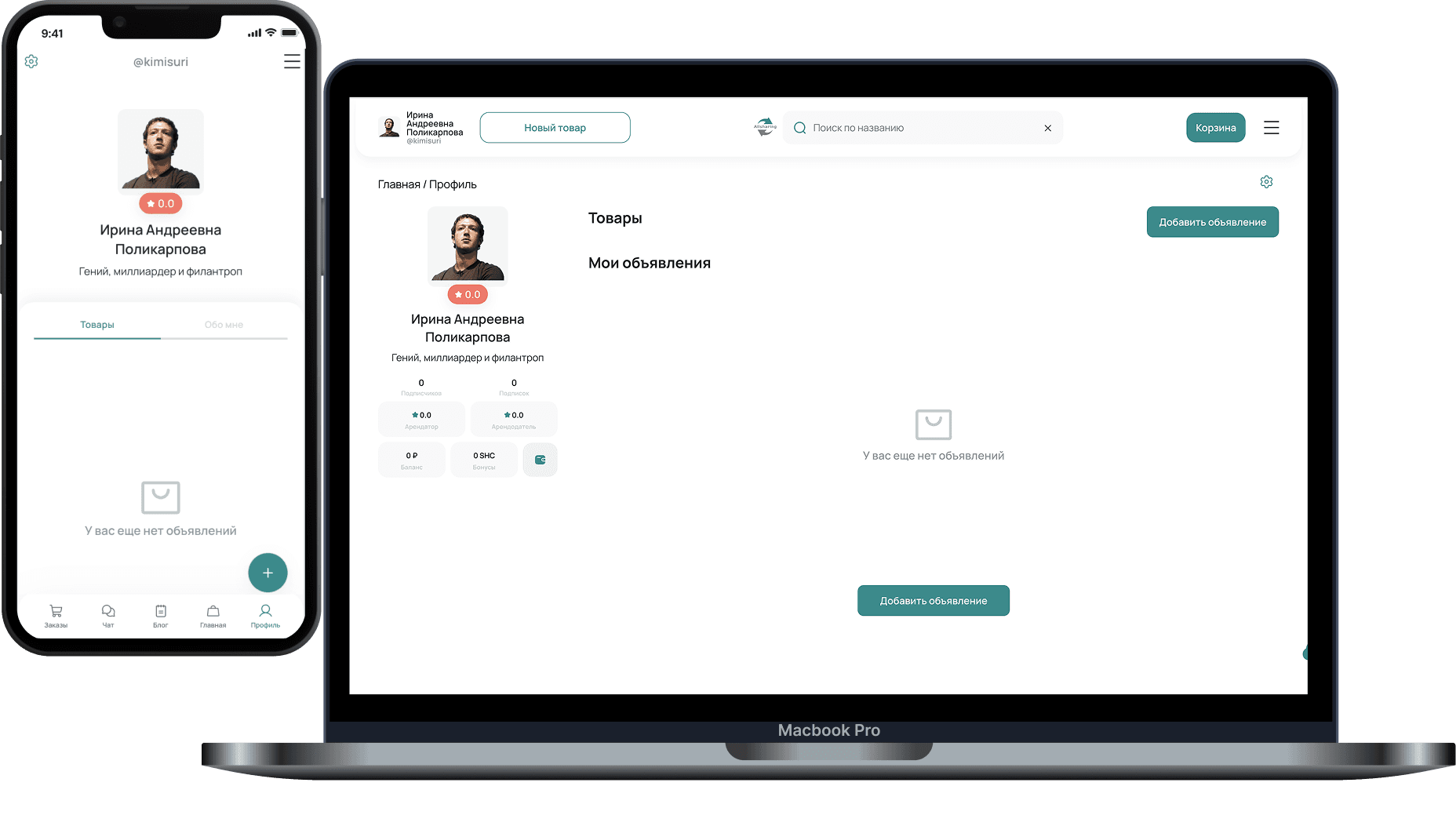
Public profile page: avatar, name, about section
Overall rating display
Follower / following counters
“My items” list (owner showcase) with product cards and prices
Search across own items
Quick action “Rent out” (go to create/publish)
“Requests” section by item — incoming rental inquiries
“My orders” section with active and past orders
Rental calendar with date selection and event list
Execution scenario switch: “Delivery” / “Pickup”
Adding/scheduling a rental in the calendar
Editing profile photo and personal details
Password management
Payment methods: linking/managing bank cards and bank details
An in-platform bonus system was implemented
A referral program with bonus accrual was implemented
Wallet: two balances — rubles and bonuses
Balance top-up
Transaction history — credits and debits with date and amount
Ability to receive bonuses by entering a coupon
Withdrawals: method selection, amount entry, operation statuses
Screen prompting to open settings when no payment methods are set
Map service integration
Address management (address list)
Display of the “primary” address
Map search for rental points and display of other items on the map
Accounts were split into individuals and legal entities so the platform works legally correctly: different identification requirements, different payout methods, and different mandatory data sets
For individuals, passport verification was implemented: data entry + document upload or capture, review statuses, and a “verified” status display
For legal entities, company document-pack verification was implemented: required file list, submission for review, and result statuses
For individuals / self-employed users, card withdrawal was implemented: select card => enter amount => confirm, with status handling and required notifications in the withdrawal flow
For legal entities, bank-details withdrawal was implemented: select or add bank details => enter amount => confirm
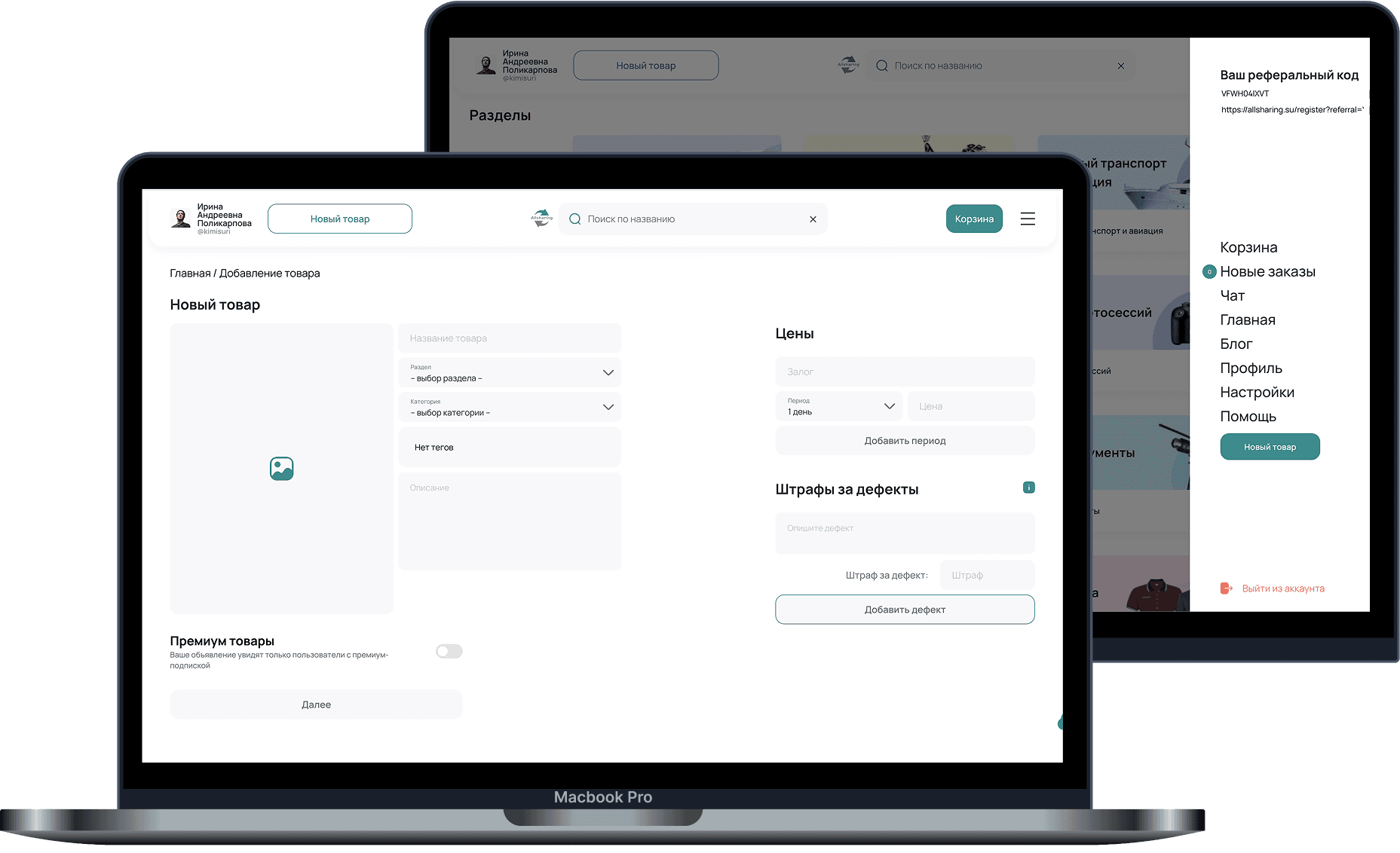
Owner creates a listing with item description and rental terms
Publishing the listing on the platform
Editing listing parameters and rental terms
Managing item availability over time (to prevent booking conflicts)
A separate chat is created for each item between seller and buyer
The chat is created automatically when “Message seller” is pressed
An item card (title, photo, price) is shown inside the chat for conversation context
One item — one dialog, so conversations do not mix
Text message exchange between parties
Real-time message delivery
Conversation history is saved in the personal account
Chat is available only to the seller and the buyer
No public access to the conversation
Ability to report a user from the chat interface
Ability to block a user
Navigate from chat back to the item page
Display listing status (active / sold / unpublished)
Notify parties when the item status changes
Notifications about new messages
Unread message count display
Renter selects rental dates
Specifies additional terms (if needed)
Sends the request to the item owner
The request is automatically recorded in the system
A dedicated section in the personal account
Incoming request list for each item
Display: who submitted the request
Display: for which dates
Display: rental duration
Display: estimated cost
Full information on the rental request
Ability to open a chat with the requester
Check for overlap with other bookings
“Confirm” button
“Reject” button
Automatic renter notification about the decision
Request status change: pending / confirmed / rejected
After confirmation, dates are blocked in the item calendar
Double booking is prevented
Busy dates are shown to other users
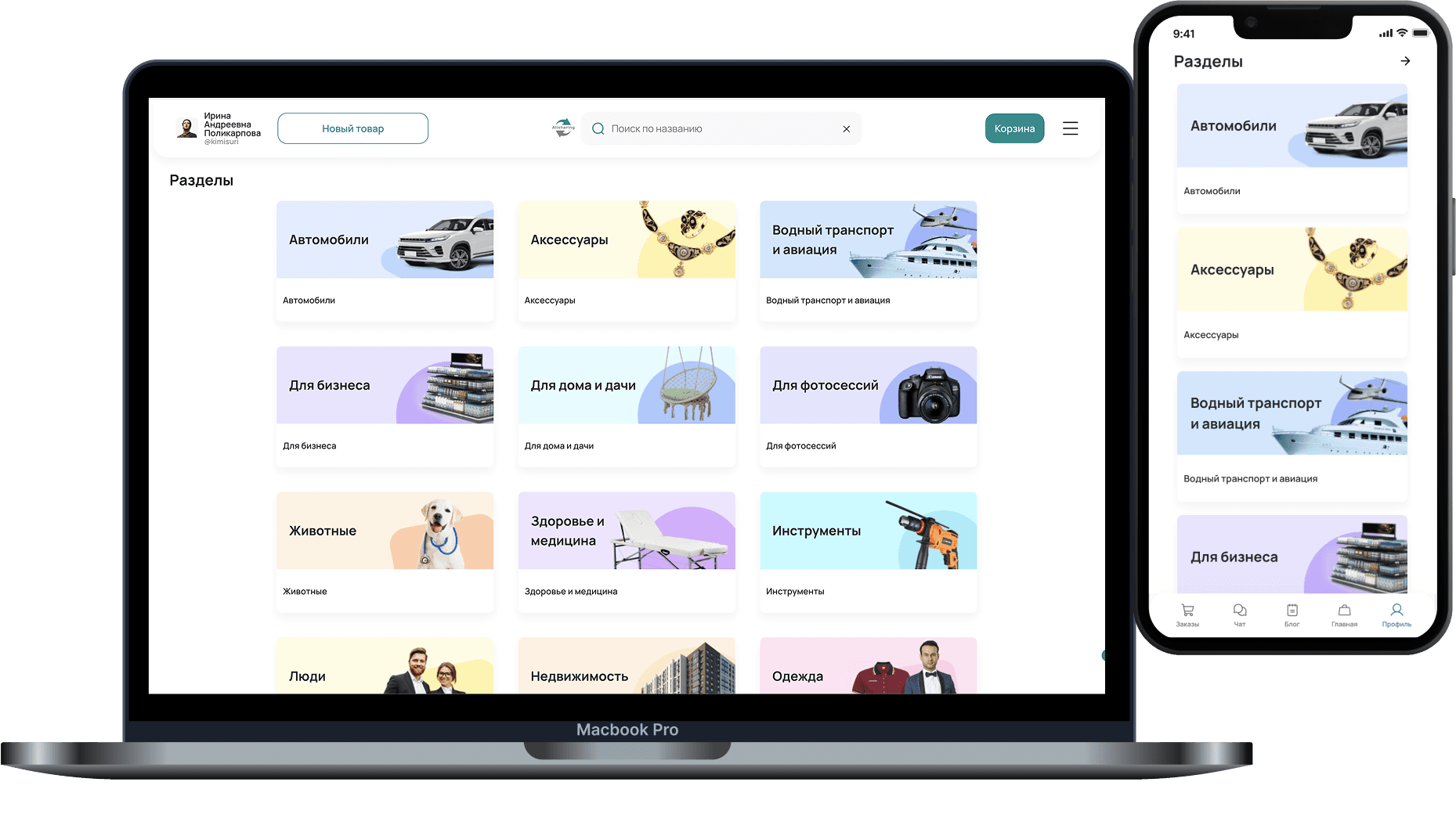
Categories and subcategories by item type (electronics, sports, auto, household items, etc.)
Ability to expand the category structure
Search by type, title, category
Convenient filters: price, time availability, item parameters
Rental payment inside the platform as part of the deal
Rental payment through the platform
Deposit mechanics as part of the deal: hold/retain/release after rental completion
Deposit logic is included in the overall payment scheme
A legal payment framework where deal funds do not stay inside the platform
Funds are placed on specialized accounts for additional control
This scheme simplifies compliance and tax-system requirements
Handoff confirmation via QR code, used by both parties at the meeting
Confirms item transfer and records the start of the rental
Item return after the rental ends
Deal finalization after return (including deposit and terms)
Ability to leave a review after the deal is completed
Ratings build trust inside the platform
The rating lets users evaluate another user by interaction history
Filing a complaint about a deal
Ability to attach evidence
Ability to dispute a rental / deal outcome
A single materials feed on the platform
Article cards with basic information
Open the full article from the feed
Creating and publishing useful materials by owners and regular users
Article formatting: title, text, media, markdown
Publication management: edit/update material
Article view counter
Basic activity metrics to gauge audience interest — likes, share counter
Comments under articles
Ability to discuss materials and get user feedback
Content integration with recommendation logic
Article selection by user interests and behavior to increase engagement and return visits
Handling complaints about users and rentals
Listing moderation
User support via a built-in admin system, with separate chats for each user
Platform statistics — user activity, revenue
User deletion and blocking functionality
Technology stack
React
.NET 8 + ASP.NET Core 8 - Main runtime
EF Core 8 - Main ORM for database queries
PostgreSQL 16 - Database