DexDao Case: RWA Tokenization Platform Development

Brief description
A decentralized platform for launching tokenized RWA projects, where any user can list their asset and tokenize itTask
Create a DEX RWA platform for launching and trading tokenized assets or their shares, operating without regulation — on a legal basis through a decentralized protocol.About the project
Together with the DEXDAO team, we designed and built a first-of-its-kind decentralized platform that combines the advantages of centralized exchanges (convenience, predictability, control) with full transparency and DAO-based governance.The key goal of the project is to create infrastructure for a “super-fair” listing of any kind of tokenized assets and DAO tokens, with full protection against manipulation, bots, and unauthorized actions. The platform launches on Uniswap V3 using custom logic implemented in smart contracts.Business benefits
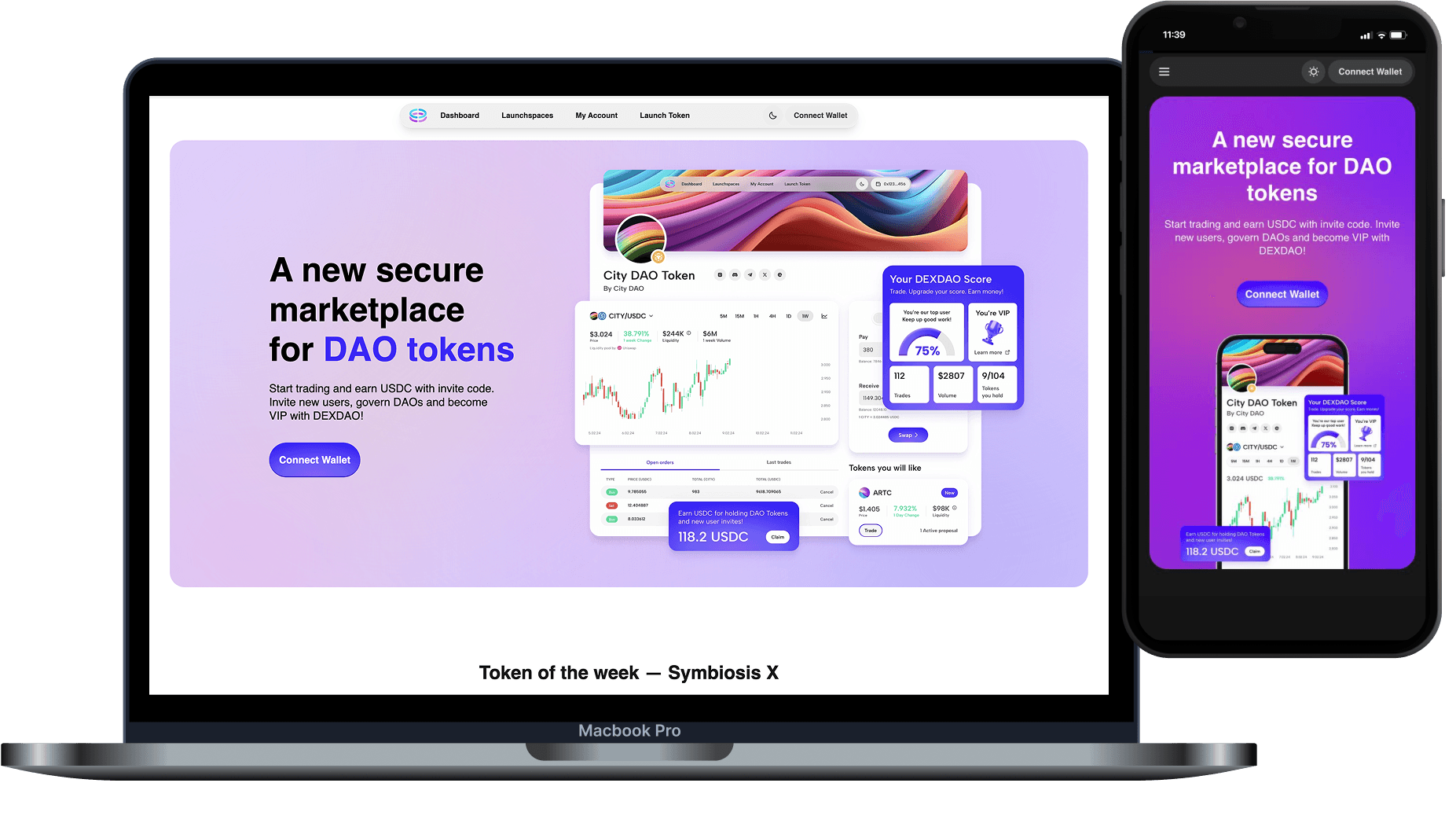
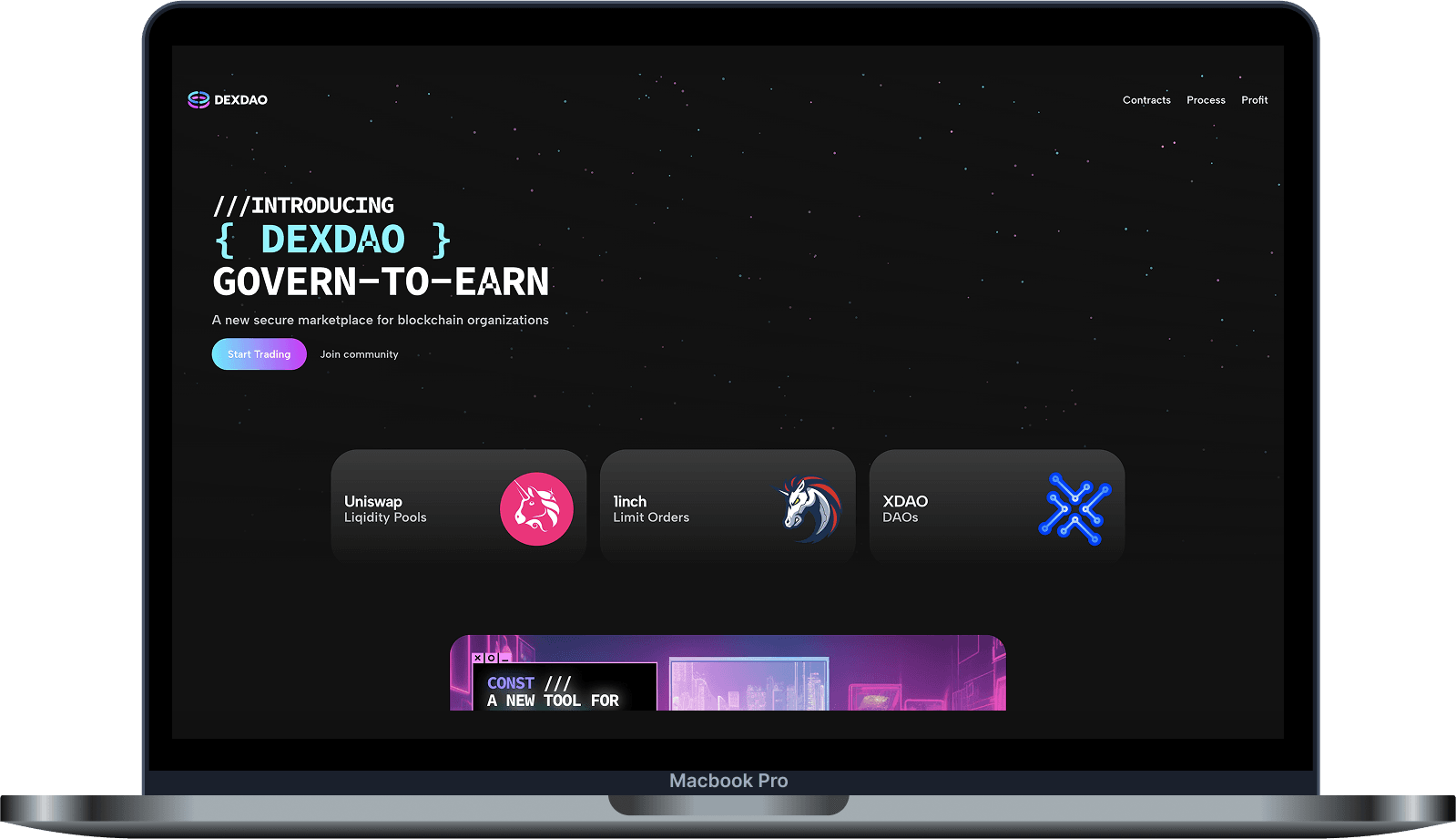
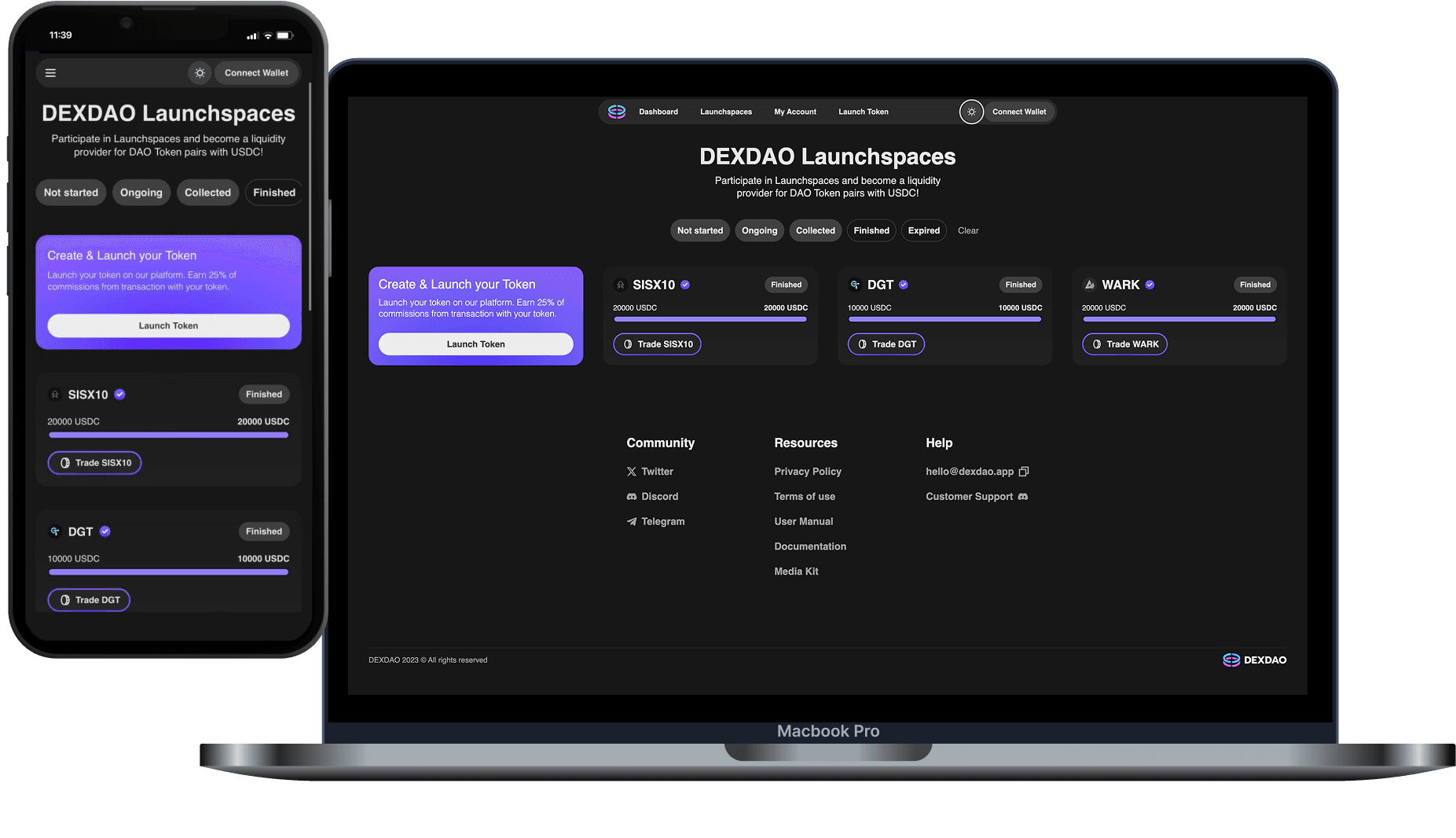
Features

User connection via a Web3 wallet with Connect Wallet
Using the wallet as the primary way to sign in to the platform
Access to trading, the personal account, and operations after wallet connection
Confirming actions through the wallet
Signing transactions for buying, selling, token launch, claiming rewards, and other operations
Working without classic registration via email and password
Creating a token via the launch form with selection of network, project category, DAO manager address, name, token symbol, and base token address
Configuring the raise amount in the range from 10,000 to 100,000 USDC, the starting sale price, and the launch date
Support for a 72-hour early sale stage for liquidity raising
Early participants buy tokens with USDC and confirm transactions in the wallet
Transferring raised liquidity into the trading pool
Finalizing the launch after a successful raise and after 3 days have passed
Refunding users if the launch fails
Buying tokens at market price with USDC
Selling tokens through the trading interface
Approving and confirming operations through a Web3 wallet
Support for limit orders with a set buy or sell price
Selecting limit order duration: 1 hour, 1 day, or 1 week
Using Uniswap V3 and 1inch as the infrastructure foundation
Displaying token price, liquidity, and market parameters
Access to the personal account after connecting a wallet and entering an invite code
Managing DAO income, active proposal tasks, and proposal history
Displaying tokens in unlock and claiming available tokens
Displaying DAO tokens in the user’s wallet
Wrapping tokens to participate in proposals or for later sale
Editing the profile: avatar, banner, name, email
Displaying the invite code, number of invited users, and active days
Weekly claiming of commission rewards
Creating proposals by token holders once the minimum token threshold is reached
Configuring quorum and additional proposal requirements for each project
Filling in a proposal: title, description, image gallery, answer options, start date and time
Selecting voting duration: 3, 7, or 30 days
Reviewing proposals by project managers
Finalizing a proposal through the wallet
Selecting the result: accepted or rejected
Adding a manager comment and saving the decision
Access to the platform via an invite code
Linking new users to the inviting participant
Tracking invited users in the personal account
Weekly claiming of commission rewards
User rating as an engagement system
Increasing rating through trading activity
Distributing fees among the invite system, DAO token holders, the DAO treasury, and the DEXDAO treasury
Confirming key actions through a Web3 wallet
Smart-contract logic for trading, claiming rewards, launch, finalization, and token wrapping
Protective mechanics for liquidity and users
Notifications before sensitive actions
Smart contract audit
Entering an invite code on the user’s first connection
Restricting platform access through an invite system
Opening access to the personal account after entering the invite code
Opening access to trading after completing the initial entry flow
Linking a new user to the participant who issued the invite code
Using the invite code as the foundation of the referral system
Main dashboard
Token launch spaces
Personal account
Token launch
Wallet connection
Navigation to token trading pages
Navigation to the token launch form
Navigation to the user personal account
Public showcase of available DAO tokens
Token cards with key market information
Displaying the token ticker
Displaying the token price
Displaying price change over a period
Displaying liquidity
Navigating to trading for the selected token
Fast flow: select a token => go to trading => buy or sell
Token price
Daily price change
Available liquidity
Button to go to trading
Navigation to a specific token page
Preparing the user for buying, selling, or participating in voting
List of projects currently in the launch stage
DAO token cards at the early sale stage
Navigating to token purchase before full trading starts
Displaying liquidity raise conditions
Displaying sale parameters
Navigating to trading after launch completion
Selecting a project in the launch stage
Pressing the buy button
Entering the purchase amount in USDC
Approving the operation through the wallet
Confirming the transaction in the wallet
Displaying a successful purchase after transaction confirmation
Receiving purchased tokens through a gradual unlock mechanism
Using a Dutch auction model at the launch stage
Price changing depending on buyer interest
Buying tokens at the current price at the moment of the transaction
Informing the user in advance about the current price mechanics
Accounting for demand when forming the early sale price
Protecting the launch from a fixed price that quickly becomes outdated when demand changes
The user selects a project
Checks the current price
Specifies the purchase amount
Approves the operation through the wallet
Confirms the purchase
Receives a successful operation status
Waits for gradual token unlock
Checking whether the target raise amount was reached
Canceling the trading launch if the target was not reached
Ability to return invested funds
Receiving funds via claim
Refunding 100% of investments to launch participants
Returning the project to the launch preparation stage if the required amount cannot be raised
The user invests funds in a project at the launch stage
Funds are used to form liquidity if the raise succeeds
If the raise fails, the user can withdraw their investments
The scenario reduces the risk of participating in a launch that never reaches public trading
Completing the launch stage after a successful fundraise
Checking that 3 days have passed since the launch started
Pressing the finalize sale button
Confirming launch finalization
Confirming the transaction in the wallet
Starting public token trading
Ability to complete the launch immediately after conditions are met or later, depending on the project strategy
Navigating to the token launch section
Selecting a blockchain supported by the platform
Checking that the selected network matches the network where the DAO was created
Entering the DAO manager address
Selecting the project category
Entering the token name
Entering the token symbol
Entering the base token address
Linking the token to an LP token created on XDAO
Entering the minimum number of tokens required to create a proposal
Configuring the token threshold required to participate in governance
Selecting the quorum
Setting the minimum voting participant threshold
Adding additional proposal requirements
Assigning managers who will be able to manage the token page
Working with pools from the pool owner
Entering the owner name
Entering the position
Entering the work email
Preparing data for token listing
Submitting an application for a free launch
Instant launch by paying a listing fee
Ability to submit an application for a free launch
Ability to launch instantly by paying for listing
Requirement of 5,000 XDAO for an instant launch
Having XDAO on the same network selected for the launch
Approving the XDAO operation through the wallet
Paying for listing via the launch button
Creating a DAO
Creating an LP token
Preparing token parameters
Preparing governance parameters
Preparing manager data
Launching the sale space through DEXDAO
Creating a token profile after launch setup
Uploading an avatar
Uploading a banner
Entering the token description
Changing the DAO category
Visual styling of the project page
Preparing the token for public display on the platform
Changing the minimum number of tokens required to create a proposal
Changing the quorum
Setting the minimum voting participant threshold
Preparing the page for working with votes and proposals
Viewing the DAO manager
Viewing the voting manager
Requesting a change of the DAO manager
Requesting a change of the voting manager
Managing access to the token page
Adding a governance block after trading starts
Adding statistics after trading starts
Displaying token activity data
Transitioning from the launch page to a full trading token page
Navigating to the launch space
Selecting a token of interest
Going to trading
Entering the purchase amount in USDC
Approving the operation through the wallet
Confirming the transaction in the wallet
Pressing the buy button
Confirming the purchase again in the wallet
Receiving purchased tokens after the operation is executed
Trading DAO tokens
Using USDC as the base settlement pair
Working through trading pools
Confirming all operations through a Web3 wallet
Using on-chain logic for trading actions
Linear token unlock
Applying unlock to tokens purchased at the launch stage
30-day linear unlock
Unlock starts after the launch space is completed
Gradual opening of access to tokens
Tokens become available for trading after unlock
Reducing the risk of sharp market pressure after launch
Displaying unlock positions in the personal account
A section with tokens in unlock
Displaying tokens purchased by early participants
Pressing the claim / receive tokens button
Confirming receipt through the wallet
Receiving available tokens after the lockup period is completed or partially passed
Receiving DAO income through XDAO
Tasks for proposals available for finalization or review
History of past proposals
Managing voting tasks
Navigating to actions that require the user’s or manager’s attention
Finalizing and reviewing proposals through the personal account
Displaying tokens available for trading
Increasing the user rating through activity
Motivating the user to trade DAO tokens
Improving the user’s position among other participants
Using rating as an engagement element
Displaying DAO tokens already in the user’s wallet
Navigating to token wrapping
Managing existing tokens
Using tokens to participate in governance or for later sale
Adding an avatar
Adding a banner
Adding a name
Adding an email
Editing the user’s public profile
Personalizing the account inside the platform
Displaying the number of invited users
Displaying the number of active days on the platform
Displaying the invite code
Using the invite code to attract new users
Tracking invite activity
Weekly claiming of commission rewards
Receiving rewards for invited users
Accounting for users who joined and traded via the invite code
Pressing the claim reward button
Confirming receipt through the wallet
Receiving commission rewards
Accounting for users who joined via the invite code
Accounting for invited users’ trading activity
Weekly reward claiming
Confirming reward receipt through the wallet
Additional motivation to grow the user base
Displaying the user rating
Increasing rating through trading activity
A list of tokens that help improve the rating
Motivating the user to interact with the platform more often
Comparing the user’s activity with other participants
Ability to gain a higher status inside the platform
Token trading affects the rating
The rating is linked to user activity
The user gets an extra incentive to return to the platform
The rating boost section shows tokens available to increase the user’s position
Generating an invite code
Using the invite code for new users to enter
Linking an invited user to the inviter
Displaying the number of invited participants
Displaying active days on the platform
Displaying the invite code in the personal account
First level — directly invited users
Second level — second-level users
Third level — third-level users
Distributing part of the fees across the invite structure
Weekly reward claiming
Receiving rewards through the wallet
Trading fees
Fee when buying a token
Fee when selling a token
Distributing fees among ecosystem participants
Using fees as the foundation of the reward mechanics
DAO token holders receive rewards
Invite system participants receive rewards
Replenishing DAO pools
Replenishing DEXDAO pools
Token holders participate in governance
Ability to create proposals
Ability to vote on proposals
Token holders influence project development
Minimum token threshold to create a proposal
Quorum as the minimum voting threshold
Additional proposal requirements
Governance block on the token page after trading starts
Displaying DAO tokens in the personal account
Pressing the wrap tokens button
Selecting a token
Specifying the number of tokens
Selecting the token to receive
Approving the operation through the wallet
Confirming the transaction in the wallet
Starting token wrapping
Confirming the transaction again in the wallet
Restricting liquidity withdrawal from the pool
Protecting users from sudden liquidity removal
Notifying users before sensitive actions
Increasing transparency of the project team’s actions
Reducing the risk of a sudden deterioration in trading conditions
Controlling actions of external token holders
A delay before external holders can sell tokens
Notifying users about potentially significant actions
Preparing users for a change in the market situation
Protection against sudden listing and sale of a large token volume
BNB Chain support
Arbitrum One support
Selecting a network when launching a token
Checking that the DAO network matches the launch network
Having XDAO on the selected network for an instant launch
Uniswap
1inch
XDAO
Technology stack
The following technology stack is used for the DexDao project:Next.js (13.4.2) - for server-side rendering and interface construction.
React (18.2.0) - the basis of the interface.
Tailwind CSS and DaisyUI - for styling.
Mantine and Headless UI - UI component libraries.
React Query and TRPC - for data management and API requests.
Ethers and Web3.js - for working with the Ethereum blockchain.
Wagmi - for interaction with Web3.
Supabase - for storing and authenticating data.
TypeScript, ESLint and Prettier - for better code quality.