Tribeco Case Study: Anonymous Video Conferencing Without Registration
Brief description
A free service for anonymous calls without registrationTask
Create an anonymous analogue of ZOOMAbout the project
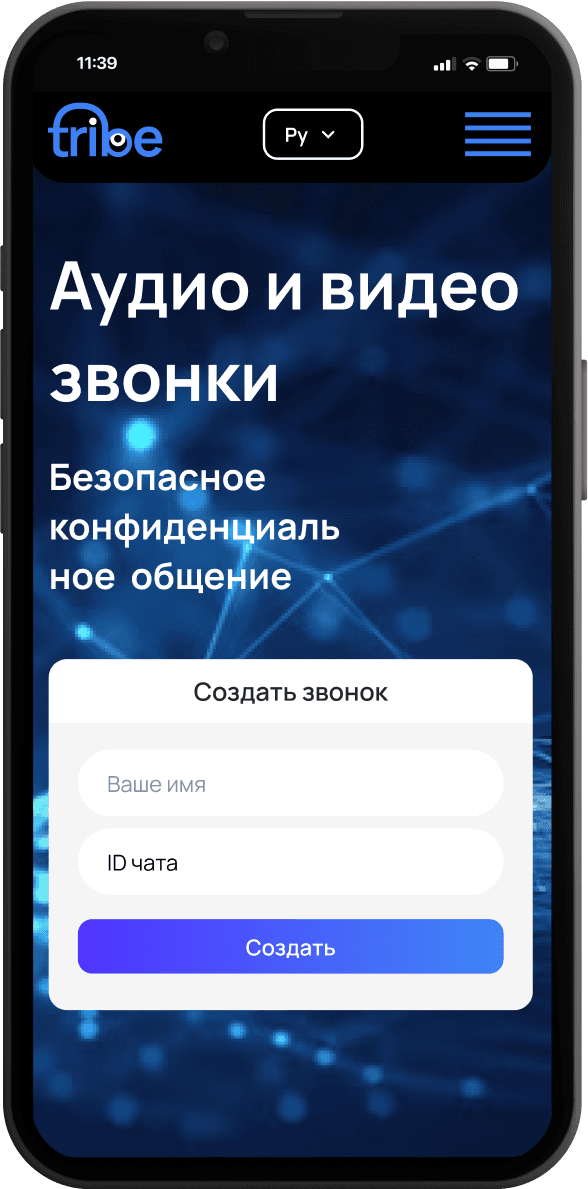
Tribeco is a free service for anonymous, encryption-protected video conferences.Security is a key aspect of development: it protects both users and platform owners. Call recording and eavesdropping are impossible, user tracking is excluded — calls are fully anonymous.To create complete anonymity, we built a service without registration — Tribeco does not collect data about the user, their device, or other information, and intentionally has no registration to ensure the maximum level of anonymity. To create a call you can use any browser, any device, and you only need to press one button — without verification or registration.For the Tribeco application, transit encryption of data was developed for transmission to the server, so your messages are encrypted before leaving your device. A system for generating unique room addresses was also created — the same approach used when encrypting a crypto wallet with a seed phrase, the method most resistant to brute-force guessing.Business benefits


Features

Join a call without registration
Create a new meeting in one click without an account
No verification steps (phone/email)
Unique room link generation
Participants join via link from any device and any browser
Enter a room without login or confirmations
Fast join flow — open the link and join
Protection from accidental access via a unique room address
User creates a room and receives an invite link
Participants join via link without signing in
Fast usage flow: create meeting => send link => participants join
Unique room address IDs generated similarly to crypto seed phrase generation
Address logic designed to resist brute-force guessing
Lower risk of random guests joining by guessing the link
Data is encrypted before leaving the user's device
Network transmission happens in a protected form
No registration mechanics = no account storage
The service does not collect user or device data as a requirement to work
Minimizing traces that could lead to deanonymization
The service cannot record or listen to a call on the platform side
No cloud recording or server-side storage of call content
Security extends to both users and platform owners
Manage basic room parameters as the creator
Control participant access and behavior within the meeting
Quick organizer actions for running the session
Participant list display
Control participant state (microphone, camera)
Basic management actions within the meeting
Holding a call in a room as the primary usage scenario
Ability to create additional breakout rooms inside one video meeting, for example for a one-to-one talk during a general call
Shared text chat inside the room
Messaging during the call
Direct messages between participants inside the call
Used for private clarifications not visible to the whole room
Reactions and emoji as quick interaction
Feedback without interrupting by voice
Ability to share the screen during a call
Participant-side sharing control (turn on/off)
Simultaneous sharing by multiple participants, configured by the meeting admin
Recording is possible only locally on the device
Call recordings are not stored on the service servers
Support for multiple interface languages
Ability to switch to the needed language in settings
Noise suppression to improve speech clarity
More stable call quality in real conditions (office/street/home)
Technology stack
The main technology stack used in the Tribeco project includes the following components:React (version 18.2.0) - the basis of the frontend.
Material-UI (@mui/material) - a component library for interface styling.
Emotion (styled components) - for styling with CSS-in-JS.
WebRTC - for organizing video calls.
Redux and redux-thunk - for application state management.
Amplitude - for analyzing user interactions.
Giphy API - for integrating gifs into the application.
Node.js (>=14.0.0) - the main runtime environment.
@rtcstats - for collecting and analyzing RTC statistics.
@tensorflow/tfjs - for integrating machine learning models.
Microsoft Graph API - for working with Microsoft data.
Babel - for code transformation.
ESLint - for checking code for errors.
Webpack - for building the application.
TypeScript - for static typing of code.
Jetifier - for migrating libraries to React Native.