Pilinia Case Study: E-commerce Platform for Lingerie Sales
Brief description
Women’s lingerie marketplace: catalog with product cards and checkout; the showcase is managed via an admin panel.Task
Build a women’s lingerie marketplace with a product showcase and order flow, where catalog and product cards are managed in an admin panel.About the project
We built a marketplace for women’s lingerie. Shoppers browse, add items to favorites, or place orders from product cards on the storefront, while product cards themselves are created and managed by an administrator through the admin panel.Business benefits
Features

Marketplace home page presenting the Pilinia brand
First screen with a visual focus on women’s lingerie
Block with key store benefits
Links to the catalog and product categories
Block with popular products or curated collections
New arrivals block
Promotional or recommended products block
Presentation of the “Hint at a gift” scenario
Quick CTA buttons to purchase, catalog, or a collection
Navigation across the main site sections
Responsive home page for mobile devices
New user registration
Sign-in with email and password
Access to the personal account
Password recovery
Sign-out
Input validation
Error handling on sign-in and registration
View and edit personal data
Manage contact information
View order history
View order statuses
Access to favorited products
Quick jump to previously saved items
Reopen a product card from favorites or history
Home page with a product selection
Display of women’s lingerie product cards
Product photo, name, price, and short description
Current product status
Navigation from a card to the detailed product page
Showcase adapted for regular assortment updates
Showcase content managed via the admin panel
Product catalog with lingerie cards
Products split by categories
Browse the assortment in a single feed
Open a specific product from the catalog
Key product parameters on the card
Support for different product types in one storefront
Catalog updates without developers via the admin panel
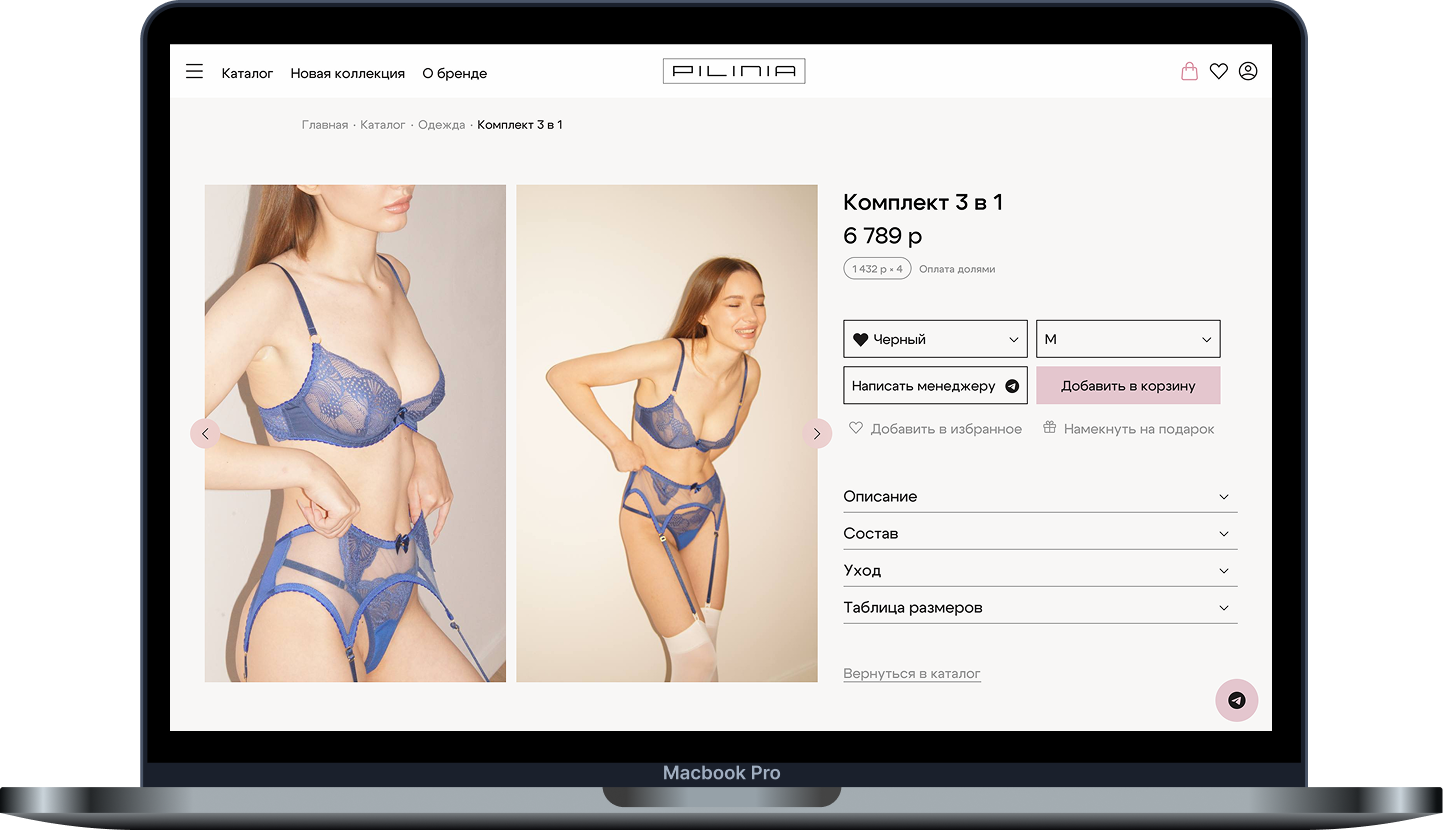
Detailed product page
Multiple product photos
Name, price, description, and product specs
Size selection
Color or variant selection when available
Product availability
Add to favorites
Proceed to checkout
Information needed to decide on a purchase
Add a product to favorites
Remove a product from favorites
List of saved products
Quick jump from favorites to the product card
Return to deferred items before ordering
Favorites as a flow for re-selection and comparison
Add the selected product to the order
View order contents
Change quantity when needed
Remove a product from the order
Calculate the order total
Validate selected sizes, colors, and variants
Final purchase confirmation
Successful order status display
Admin sign-in to the private area
Create new product cards
Edit existing cards
Remove products from the storefront
Manage product photos
Fill in name, price, description, and specs
Manage product categories
Manage product availability
Publish and unpublish products
Update the assortment without changing the codebase
Add a product to the catalog
Configure main product parameters
Upload images
Edit description
Change price
Manage the size grid
Manage colors or product variants
Show the product on the storefront after publishing
Hide a product when it is out of stock
Keep the assortment up to date
Receive orders from the storefront
View the list of new orders
View order details
Show selected product, size, color, and quantity
Show buyer contact details
Change order status
Process the order as an administrator
Keep order history in the admin area
Create product categories
Assign products to categories
Extend the catalog structure
Support different product position types
Simpler assortment navigation for shoppers
Manage catalog structure via the admin panel
Manage product card texts
Manage visual storefront content
Upload and replace images
Update product descriptions
Keep product information current
Quickly change the assortment for new collections
Correct storefront display across devices
Convenient product browsing on mobile
Checkout adapted for the mobile flow
Convenient catalog navigation
Interface optimized for fast product selection and ordering